BettaScore
BettaScore
SNAPMAKER

SNAPMAKER J1s

Printer
SNAPMAKER J1s
SNAPMAKER J1s
1 / 3
RankOlder modelBest 3D Printers
Ranking Net Score+58+58 from reviews0 from votes
Sources1925 positive · 11 negative
Priced at$1,401.89

Released Jun 2023

Shop on AmazonShop on Google
Older model in Best 3D Printers
Priced at$1,401.89

Released Jun 2023

Shop on AmazonShop on Google
+58Ranking net score+58 from reviews and discussions0 from votes on BettaScore19 sources

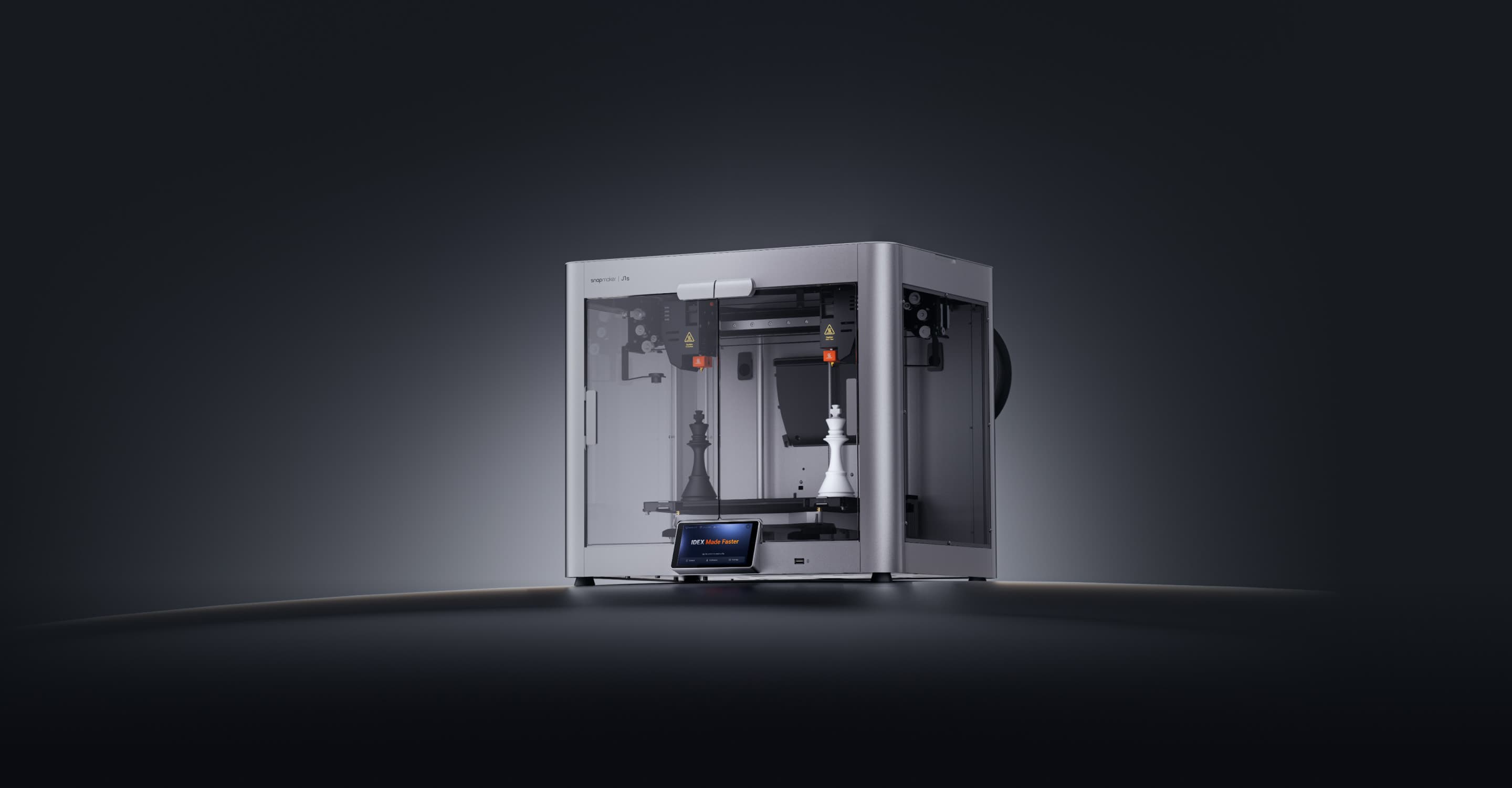
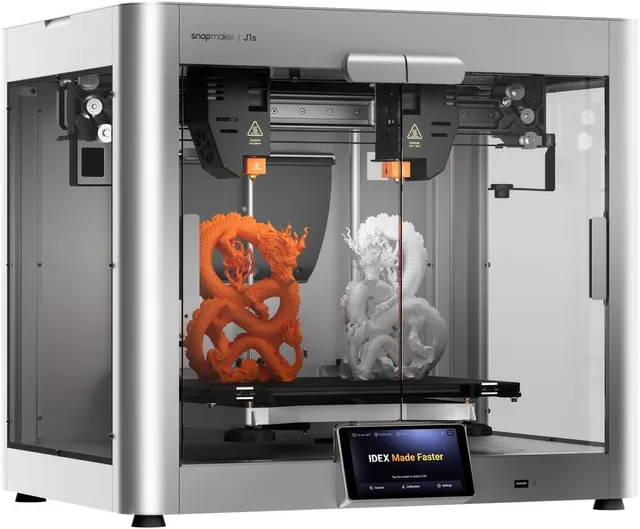
The Snapmaker J1s is a high-speed IDEX 3D printer with independent dual extruders and a fully enclosed design, enabling multi-color and multi-material printing with a 300 x 200 x 200 mm build volume.

What reviewers say, by topic

Pick a topic to see the quotes behind it. Topic points add up to the Ranking Net Score.

Total +58 pts

Net positive 7

Net negative 1

Sentiment
Format
415
19 sources
Redditdiscussion

Experience With Snapmaker J1s Idex

  • Print Quality+1 pts

    It's definitely a game changer being able to easily and cleanly print support material without a second thought.

  • Reliability+1 pts

    it worked very well on my first tries doing two color PLA and first tries for a couple parts printed with PLA breakaway material supports.

View source ↗
It's definitely a game changer being able to easily and cleanly print support material without a second thought. it worked very well on my first tries doing two color PLA and first tries for a couple parts printed with PLA breakaway material supports.
Redditdiscussion

Experience With Snapmaker J1s Idex

  • Speed+1 pts

    I'm in the same situation as you. I finally went ahead and ordered one since there are lots of sales this month, and I'm waiting for my shipping notice. It's strange and a bit concerning to me how little attention this printer has gotten. ModBot and mpoxDE (German) have the best YouTube coverage I've found. Here's what I've learned about it from digging through their forums and various videos. Ping me in a month for my own actual experience... First, to the "Just get a Bambu" people, I find an IDEX compelling as I have no interest in the time and material waste of a single-extruder multimaterial system, though I totally respect the ease of use and speed. I look to the J1s for being at least as fast as my current Klipperized printer, relatively quiet and compact for my apartment, and auto XY calibration (an IDEX pain). I mainly want the ability to print different support material, and easy two-color or copy mode printing are happy bonuses. The good: The J1/J1s seems like the only game in town next to the Sovol SV04 for IDEX in this range. That has, I think, bigger build volume but appears too large (for me) and more finicky. The J1 is quick, sturdy, pretty, relatively quiet, and in principle takes care of the especially frustrating IDEX XY calibration for you. First impressions from video reviews are very positive, and it can really do multi-*material.* The bad: In reality, forums suggest the J1 attempts to be more user friendly and succeeds in some ways, but is still better for someone with 3d [truncated]


  • Build Plate & Leveling+1 pts

    auto XY calibration (an IDEX pain).

  • Noise & Fumes+1 pts

    relatively quiet and compact for my apartment

View source ↗
I'm in the same situation as you. I finally went ahead and ordered one since there are lots of sales this month, and I'm waiting for my shipping notice. It's strange and a bit concerning to me how little attention this printer has gotten. ModBot and mpoxDE (German) have the best YouTube coverage I've found. Here's what I've learned about it from digging through their forums and various videos. Ping me in a month for my own actual experience... First, to the "Just get a Bambu" people, I find an IDEX compelling as I have no interest in the time and material waste of a single-extruder multimaterial system, though I totally respect the ease of use and speed. I look to the J1s for being at least as fast as my current Klipperized printer, relatively quiet and compact for my apartment, and auto XY calibration (an IDEX pain). I mainly want the ability to print different support material, and easy two-color or copy mode printing are happy bonuses. **The good:** The J1/J1s seems like the only game in town next to the Sovol SV04 for IDEX in this range. That has, I think, bigger build volume but appears too large (for me) and more finicky. The J1 is quick, sturdy, pretty, relatively quiet, and in principle takes care of the especially frustrating IDEX XY calibration for you. First impressions from video reviews are very positive, and it can really do multi-*material.* **The bad:** In reality, forums suggest the J1 attempts to be more user friendly and succeeds in some ways, but is still better for someone with 3d [truncated] auto XY calibration (an IDEX pain). relatively quiet and compact for my apartment
Redditdiscussion

Snapmaker J1s Impressions

  • Speed+1 pts

    PLA prints great at the stock setting at 350mm/s

  • Reliability+1 pts

    I have yet to have a single clog after several kgs of filament, but your mileage may vary.

  • Build Plate & Leveling+1 pts

    the system for aligning and calibrating the 2 nozzles is very straight forward, and mostly automated.

  • Materials, Multicolor & Versatility+1 pts

    My favorite part is how fast the machine switches between filaments with idex.

  • Setup & Ease of Use+1 pts

    Setup is very quick and easy out of the box

  • Software & Connectivity-1 pts

    I don't recommend you use anything but luban for this printer, which kind of sucks.

View source ↗
PLA prints great at the stock setting at 350mm/s I have yet to have a single clog after several kgs of filament, but your mileage may vary. the system for aligning and calibrating the 2 nozzles is very straight forward, and mostly automated. My favorite part is how fast the machine switches between filaments with idex. Setup is very quick and easy out of the box I don't recommend you use anything but luban for this printer, which kind of sucks.
Redditdiscussion

Snapmaker J1s Wall Issues

  • Reliability-1 pts

    I have been struggling with this Snapmaker J1S for a few months now, I haven't managed to get a single good print out of it.

View source ↗
I have been struggling with this Snapmaker J1S for a few months now, I haven't managed to get a single good print out of it.
Redditdiscussion

Snapmaker J1s Wall Issues

  • Reliability-1 pts

    I have been struggling with this Snapmaker J1S for a few months now, I haven't managed to get a single good print out of it.

View source ↗
I have been struggling with this Snapmaker J1S for a few months now, I haven't managed to get a single good print out of it.
Redditdiscussion

Snapmaker J1s Extruder Slippingclicking When

  • Reliability-1 pts

    I'm having a problem with my Snapmaker J1S when printing PETG. During printing, the extruder sometimes starts slipping and making a clicking/skipping sound. It sounds like the extruder is trying to push the filament but the filament isn't feeding through smoothly, so the drive gear slips. The issue seems to be much more noticeable with PETG than PLA. I've already been checking the usual things: Filament is dry No obvious blockage in the nozzle Filament path looks clear Extruder gear appears to be gripping the filament First layer/bed adhesion is not the issue Printing temperature and speed have been adjusted What I'm trying to understand is what is actually causing the J1S extruder to skip with PETG. Could this be: Too much back pressure from the hotend? PETG requiring a different extrusion temperature/flow? Extruder tension being too high/low? Heat creep? The J1S extruder/hotend having a limitation with PETG? Something specific to the J1S filament path or extruder? If anyone with a J1S has experienced the same clicking/slipping sound specifically with PETG, I'd really appreciate knowing what fixed it for you. I'm particularly interested in J1S-specific solutions, rather than generic "slow it down" advice. Thanks!

View source ↗
I'm having a problem with my Snapmaker J1S when printing PETG. During printing, the extruder sometimes starts **slipping and making a clicking/skipping sound**. It sounds like the extruder is trying to push the filament but the filament isn't feeding through smoothly, so the drive gear slips. The issue seems to be much more noticeable with **PETG** than PLA. I've already been checking the usual things: Filament is dry No obvious blockage in the nozzle Filament path looks clear Extruder gear appears to be gripping the filament First layer/bed adhesion is not the issue Printing temperature and speed have been adjusted What I'm trying to understand is **what is actually causing the J1S extruder to skip with PETG**. Could this be: Too much back pressure from the hotend? PETG requiring a different extrusion temperature/flow? Extruder tension being too high/low? Heat creep? The J1S extruder/hotend having a limitation with PETG? Something specific to the J1S filament path or extruder? If anyone with a J1S has experienced the same **clicking/slipping sound specifically with PETG**, I'd really appreciate knowing what fixed it for you. I'm particularly interested in **J1S-specific solutions**, rather than generic "slow it down" advice. Thanks!
Redditdiscussion

Snapmaker J1s Is A Win For Miniature

  • Reliability+1 pts

    I have had a great time with this machine, it does very good work with my designs.

View source ↗
I have had a great time with this machine, it does very good work with my designs.
YouTube
  • Reliability+5 pts

    use how easily it clogs during the load, unload, and purge cycles. This machine doesn't have any of that.

use how easily it clogs during the load, unload, and purge cycles. This machine doesn't have any of that.
Redditdiscussion

Advice Needed For Snapmaker J1s

  • Software & Connectivity-1 pts

    Only had mine a few days and undecided mainly with the Luban slicer. So different from using my AnkerMake M5. Can't seem to find vase mode

View source ↗
Only had mine a few days and undecided mainly with the Luban slicer. So different from using my AnkerMake M5. Can't seem to find vase mode
Redditdiscussion

Advice Needed For Snapmaker J1s

  • Software & Connectivity-1 pts

    Are you using Luban? I had much better results overall after switching to OrcaSlicer.

View source ↗
Are you using Luban? I had much better results overall after switching to OrcaSlicer.
Redditdiscussion

Snapmaker J1s Impressions

  • Print Quality+1 pts

    When it works it works wonderfully. Great for printing with soluble supports or TPU/PLA combos.

  • Reliability-1 pts

    The bed leveling using conductivity is great idea in theory but nozzle drip during the process can drive you insane.

  • Build Plate & Leveling+1 pts

    The bed leveling using conductivity is great idea in theory

View source ↗
When it works it works wonderfully. Great for printing with soluble supports or TPU/PLA combos. The bed leveling using conductivity is great idea in theory but nozzle drip during the process can drive you insane. The bed leveling using conductivity is great idea in theory
Redditdiscussion

Experience With Snapmaker J1s Idex

  • Print Quality+1 pts

    Dissimilar support material is definitely a big positive for my application

View source ↗
Dissimilar support material is definitely a big positive for my application
YouTube
  • Reliability+5 pts

    the results are a tad wispy otherwise no issues with adhesion or the filament clumping into obstacles for the nozzle

  • Print Quality0 pts

    with the model sliced for quality over speed the results are a tad wispy otherwise no issues

  • Build Plate & Leveling+5 pts

    otherwise no issues with adhesion

  • Materials, Multicolor & Versatility+5 pts

    the switch over between the materials is quite fast

with the model sliced for quality over speed the results are a tad wispy otherwise no issues the results are a tad wispy otherwise no issues with adhesion or the filament clumping into obstacles for the nozzle otherwise no issues with adhesion the switch over between the materials is quite fast
YouTube
  • Reliability+5 pts

    there's also an auxiliary fan that provides strong cooling for fast printing.

  • Noise & Fumes+5 pts

    which isn't too loud. It is actually on the quiet side compared to other Corxy machines with an auxiliary fan

  • Print Quality0 pts

    The pen holder's overall print quality and surface quality is in line with other fas

  • Build Plate & Leveling+5 pts

    The polycarbonate wrench stuck perfectly to the bed with glue.

  • Speed+5 pts

    The best part is the print speed.

The pen holder's overall print quality and surface quality is in line with other fas The best part is the print speed. there's also an auxiliary fan that provides strong cooling for fast printing. The polycarbonate wrench stuck perfectly to the bed with glue. which isn't too loud. It is actually on the quiet side compared to other Corxy machines with an auxiliary fan
YouTube
  • Speed+5 pts

    it only took 24 minutes to print in fast mode – that's super quick!

  • Build Plate & Leveling+5 pts

    the Snapmaker J1S has a very a good first-layer consistency!

  • Print Quality+5 pts

    making the model very clean

making the model very clean it only took 24 minutes to print in fast mode – that's super quick! the Snapmaker J1S has a very a good first-layer consistency!
Redditdiscussion

Snapmaker J1s Filament Slipping On Extruder Gears

  • Reliability-1 pts

    my J1s was printing this model without any problems, but recently it's been skipping with a clicking sound in the high flow areas of the model.

View source ↗
my J1s was printing this model without any problems, but recently it's been skipping with a clicking sound in the high flow areas of the model.
Redditdiscussion

Snapmaker J1s Extruder Err

  • Reliability-1 pts

    the filament starts misbehaving. It comes out in a tangled, coily mess and I haven't been able to finish any of my projects.

View source ↗
the filament starts misbehaving. It comes out in a tangled, coily mess and I haven't been able to finish any of my projects.
Redditdiscussion

Snapmaker J1s Right Nozzle Z Adjustment Wheel

  • Build Plate & Leveling-1 pts

    I recently bought a used Snapmaker J1S. I'm trying to do the right nozzle Z calibration, but the mechanical adjustment thumbwheel is totally seized. Here's what I've already checked: Firmware updated to v2.8.0 Factory reset completed Printer boots normally Both hotends are detected The two H2 hotend clamp screws are already loosened The hotend will not release The adjustment wheel has zero movement in either direction (not even 1°) I have not used pliers or WD-40 because I don't want to damage the mechanism. I'm not looking for the standard hotend replacement guide—I already have that. I'm specifically looking for: 1. A right toolhead teardown 2. A service manual 3. An exploded diagram The "J1 Z axis disassemble.pdf" that Snapmaker Support apparently sent to some users Anyone who has repaired a seized right nozzle adjustment mechanism

View source ↗
I recently bought a used Snapmaker J1S. I'm trying to do the right nozzle Z calibration, but the mechanical adjustment thumbwheel is totally seized. Here's what I've already checked: Firmware updated to v2.8.0 Factory reset completed Printer boots normally Both hotends are detected The two H2 hotend clamp screws are already loosened The hotend will not release The adjustment wheel has **zero movement** in either direction (not even 1°) I have **not** used pliers or WD-40 because I don't want to damage the mechanism. I'm **not** looking for the standard hotend replacement guide—I already have that. I'm specifically looking for: 1. A right toolhead teardown 2. A service manual 3. An exploded diagram The "J1 Z axis disassemble.pdf" that Snapmaker Support apparently sent to some users Anyone who has repaired a seized right nozzle adjustment mechanism
Redditdiscussion

Experience With Snapmaker J1s Idex

  • Software & Connectivity-1 pts

    the controls are very limited and that's what I don't like.

View source ↗
the controls are very limited and that's what I don't like.

What reviewers say, by topic

Tap a topic to read its quotes. Topic points add up to the Ranking Net Score.

Net positive 7

Net negative 1

Videos and posts
BettaScore

Products ranked by what public reviews say.

Platform
Browse rankings
Company
About UsHow BettaScore Works
Legal
Cookies PolicyTerms of ServicePrivacy Policy
© LSEV USA Corp 2026. All rights reserved.