

BettaScore
BettaScore
ANYCUBIC

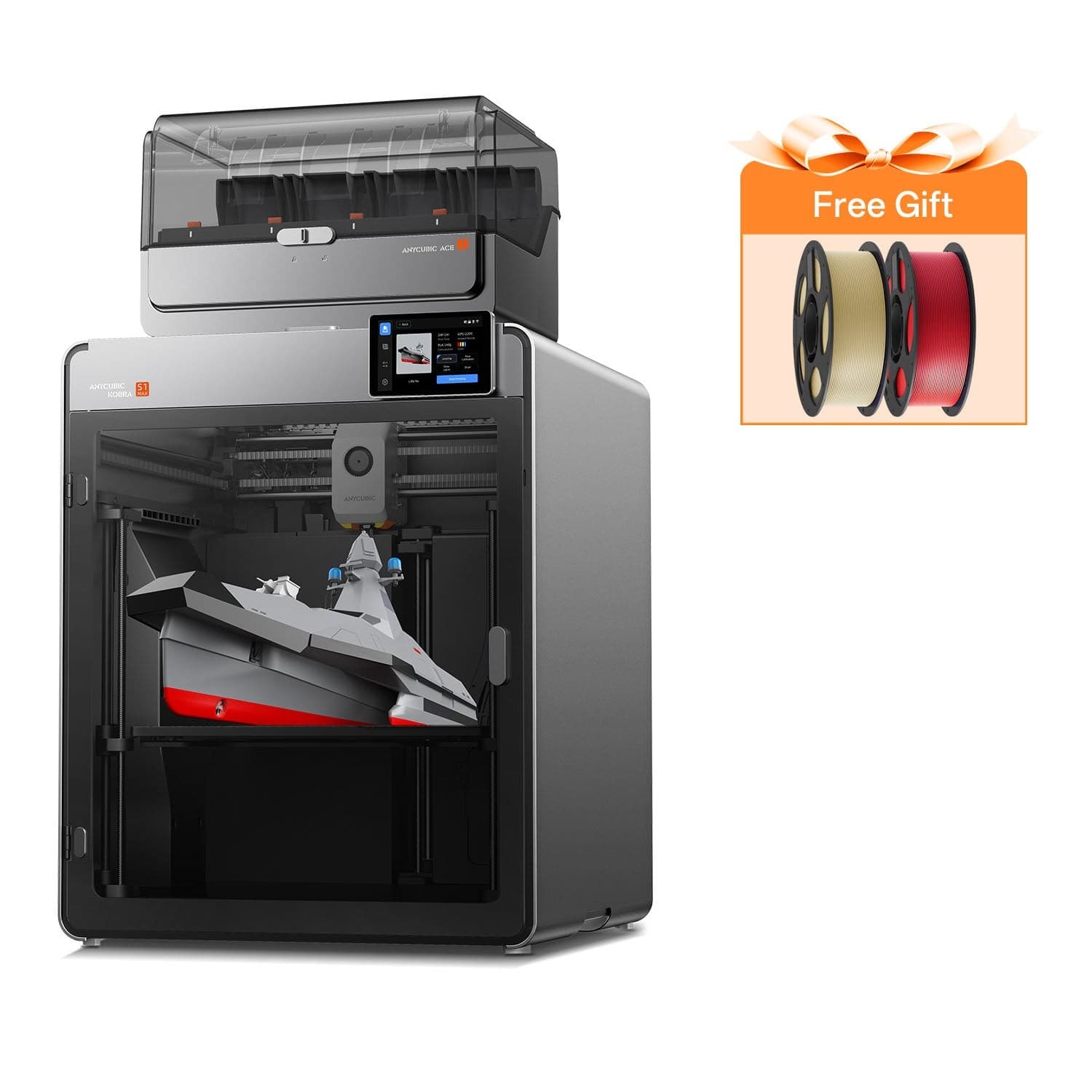
ANYCUBIC Kobra S1 Combo

FDM 3d Printer
ANYCUBIC Kobra S1 Combo
1 / 5
RankNo. 11 of 33Best 3D Printers
Ranking Net Score+40+40 from reviews0 from votes
Sources1623 positive · 11 negative
Priced at$499.00

Released Nov 2024

Shop on AmazonShop on Google
No. 11 of 33 in Best 3D Printers
Priced at$499.00

Released Nov 2024

Shop on AmazonShop on Google
+40Ranking net score+40 from reviews and discussions0 from votes on BettaScore16 sources

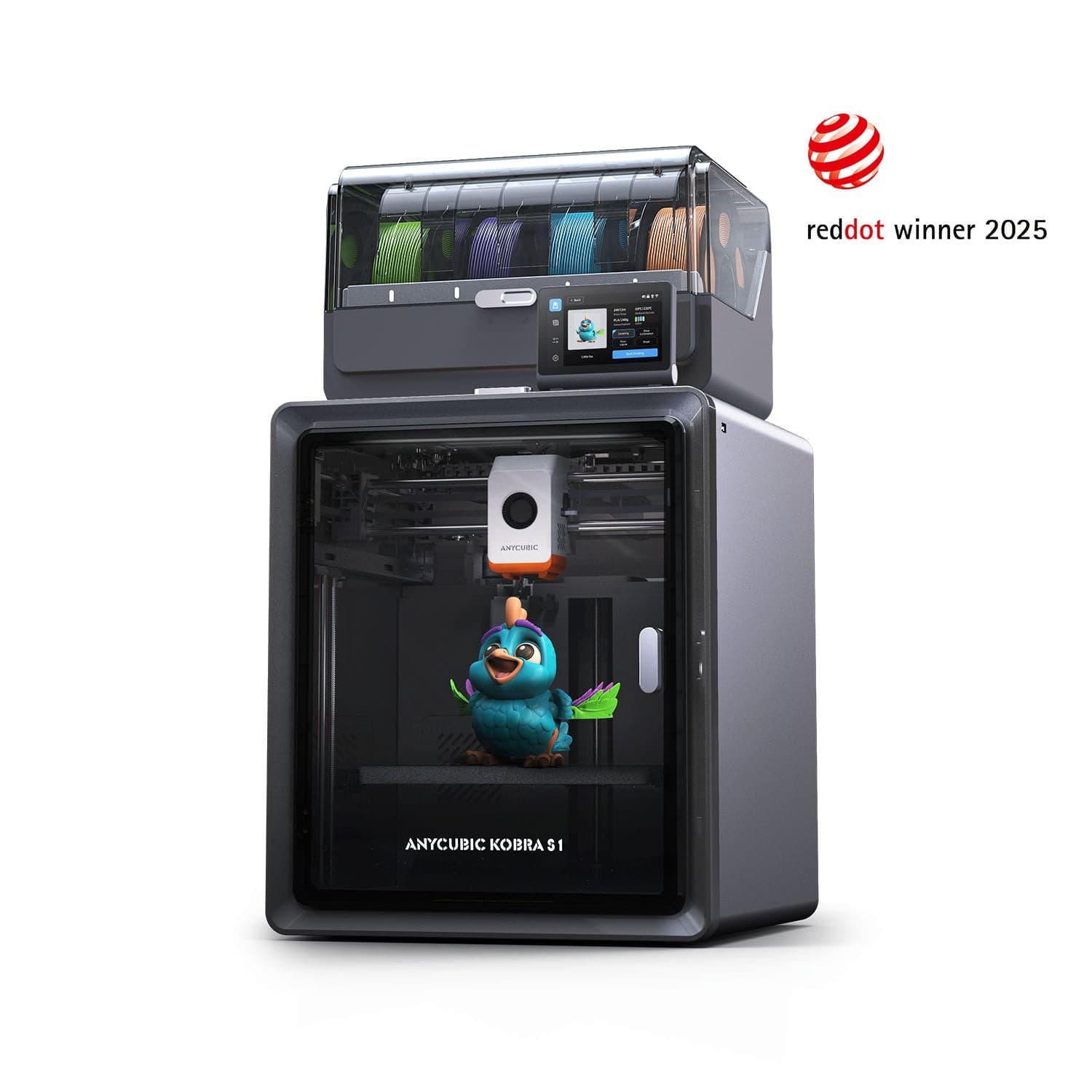
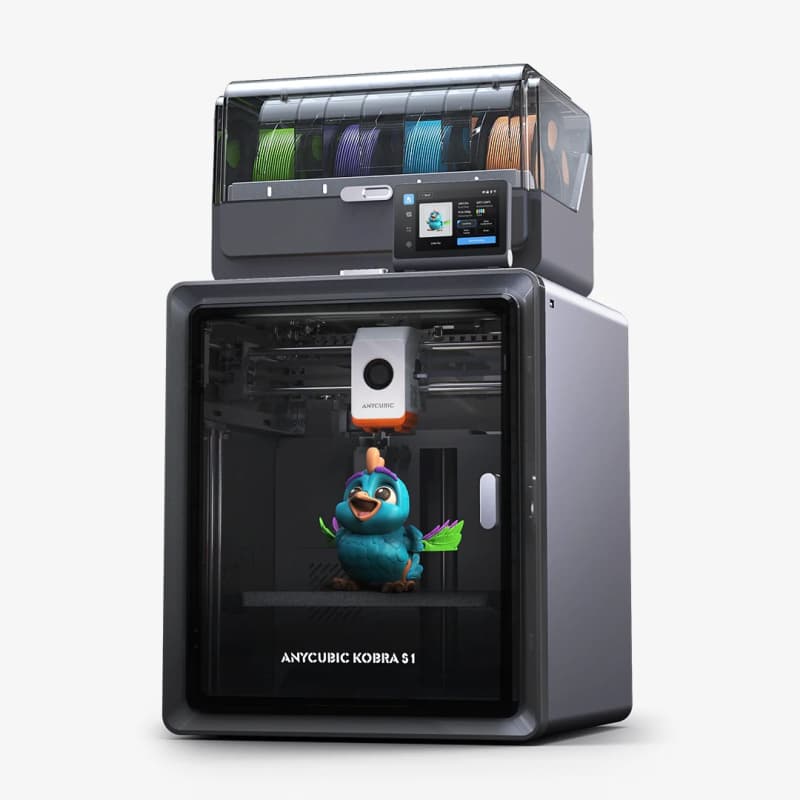
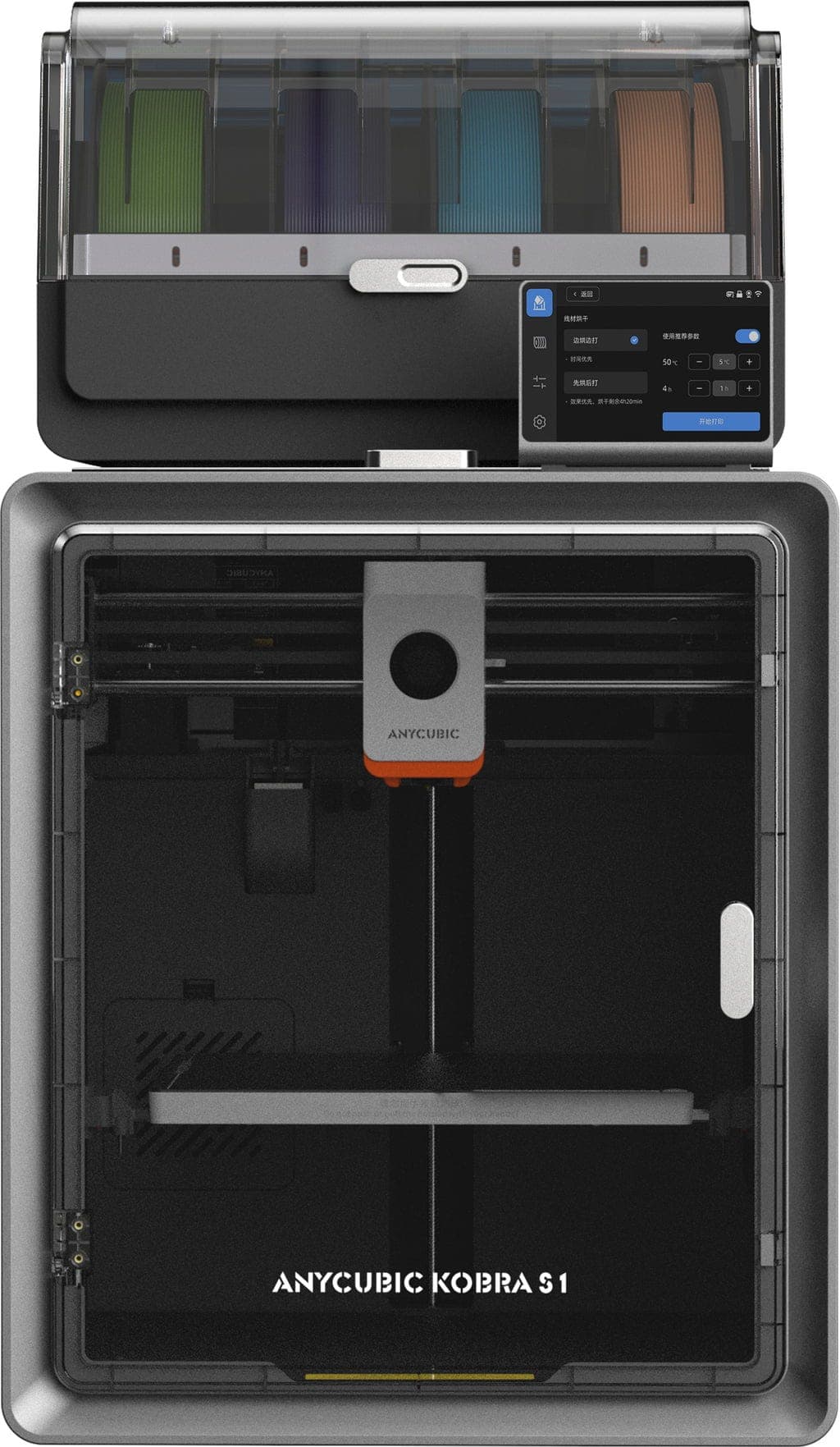
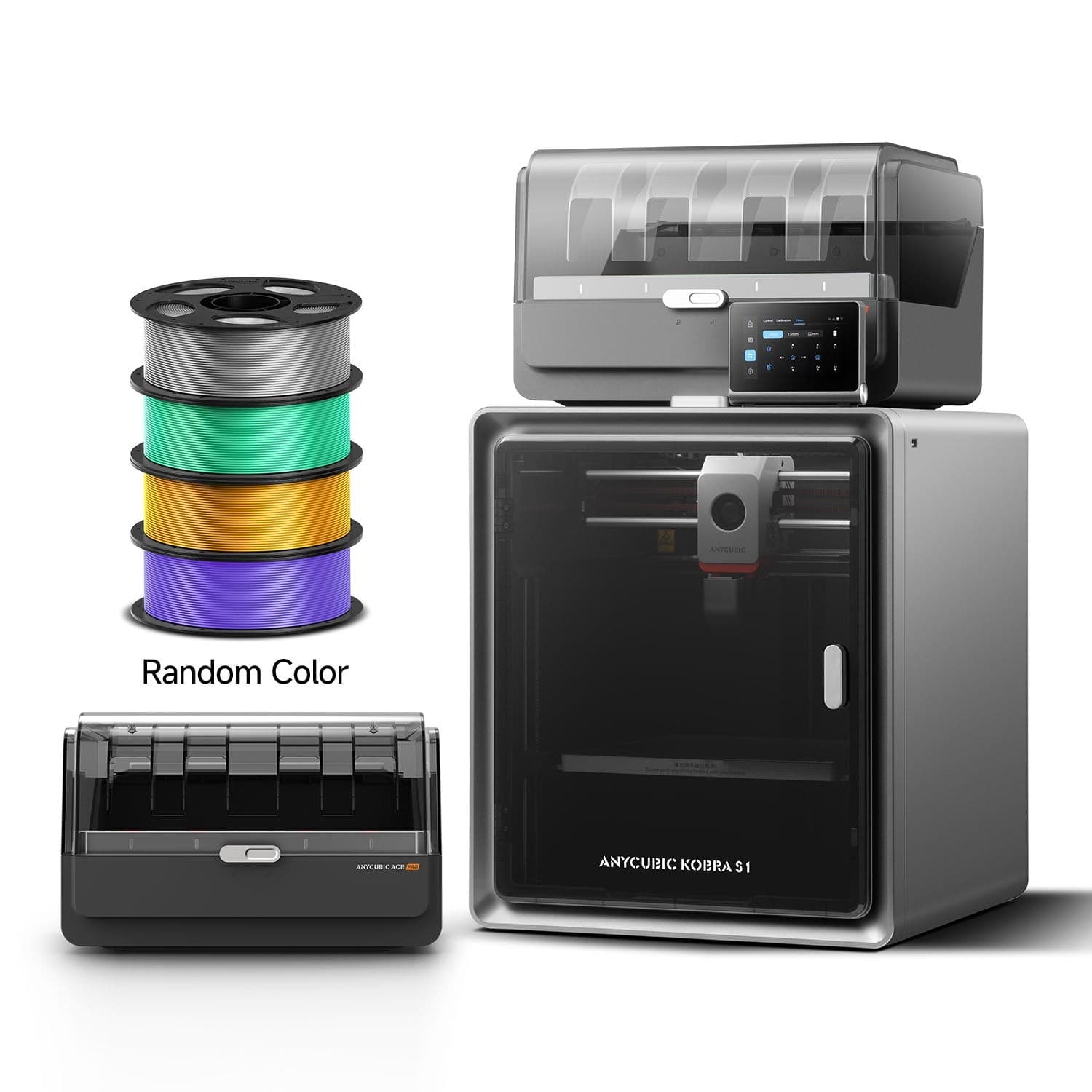
The Anycubic Kobra S1 Combo is an enclosed CoreXY 3D printer bundled with the ACE Pro system for up to four-color printing, reaching speeds up to 600mm/s with an AI camera and hands-free auto-calibration.

What reviewers say, by topic

Pick a topic to see the quotes behind it. Topic points add up to the Ranking Net Score.

Total +40 pts

Net positive 3

Net zero 2

Net negative 2

Sentiment
Format
124
16 sources
Redditdiscussion

Kobra S1 Combo Or Bambulab P1s

  • Print Quality+1 pts

    And the quality is very good, event at speed that my previous printer couldn’t reach.

  • Reliability+1 pts

    I would say it is precise and reliable enough to compete with the P1S.

  • Build Plate & Leveling+1 pts

    And no concern regarding the flatness of the bed.

View source ↗
And the quality is very good, event at speed that my previous printer couldn’t reach. I would say it is precise and reliable enough to compete with the P1S. And no concern regarding the flatness of the bed.
Redditdiscussion

Kobra S1 Combo Or Bambulab P1s

  • Print Quality+1 pts

    I get wall quality on the KS1 that is essentially the same as the P1S.

  • Reliability-1 pts

    I bought the KS1 Combo pre-release and loved it for about 600 hours. Now I have a P1S + AMS and love it. The KS1 has been reduced to single color printing and the Ace Pro is on my workbench so I can install replacement parts from Anycubic.

  • Build Plate & Leveling-1 pts

    The printer has a reputation of issues with the bed being warped out of the box.

  • Materials, Multicolor & Versatility-1 pts

    It has a 50/50 chance of successfully handling a spool running out

View source ↗
I get wall quality on the KS1 that is essentially the same as the P1S. I bought the KS1 Combo pre-release and loved it for about 600 hours. Now I have a P1S + AMS and love it. The KS1 has been reduced to single color printing and the Ace Pro is on my workbench so I can install replacement parts from Anycubic. The printer has a reputation of issues with the bed being warped out of the box. It has a 50/50 chance of successfully handling a spool running out
Redditdiscussion

Honest Review After 1000 Hour

  • Print Quality+1 pts

    for its price range the print quality is really good

  • Reliability+1 pts

    Hi! After 1000h of print time I decided to write an honest review about my experience with the Kobra S1 combo. Before I start as soon as the printer arrived I changed the hot-end for a ceramic one with a hardened steel nozzle, because all printers should have one as default and I dont get why they dont. Otherwise is completely stock. I ran all the calibrations only once when changing the hot end and I clean the bed with IPA after every print and run the bed calibration only when I print many tiny parts on the bed. Lets start with the bad experiences: * The extruder \- the early batches where sent with the filament sensor flap made of thin plastic so after like 100h it broke. I contacted Anycubic support showed them photos and described my problem and they sent me a new extruder (new specification with a metal flap) for free without any problems. * The second one is just my stupidity \- I wanted to try a local brand of cheap filament to save money and regretted it as soon as I started printing, the filament broke into dozens of tiny pieces within the Ace Pro and the 4>1 hub at the back of the printer so I had to disassemble the Ace Pro and some parts of the printer to remove all the broken filament, it was an entire weekend of work so from now on I only buy one filament brand that I have no problems with. Some connection issues \- it was only at the beginning, I think that an update solved them. Now lets finish on a good note: * The stock bed plate \- never expected to be this good I never had any adhesion issues with PLA, PETg even with ABS. * Maintenance \- the printer will automatically remind you that you need to do a maintenance with a link to a video where is all descibed step by step. * Ace Pro \- apart for my stupidity thing described above it works without issues. * Slicer \- it works without any issues (apart for one update where they broke multicolour printing but it was fixed really quickly) * Print quality \- for its price range the print quality is really good all quality "problems" I had where solved by just canging slicer settings (mostly just needed to slow down a bit) Thats all! Hope I didnt forgot anything and if you have questions feel free to ask.

  • Build Plate & Leveling+1 pts

    Hi! After 1000h of print time I decided to write an honest review about my experience with the Kobra S1 combo. Before I start as soon as the printer arrived I changed the hot-end for a ceramic one with a hardened steel nozzle, because all printers should have one as default and I dont get why they dont. Otherwise is completely stock. I ran all the calibrations only once when changing the hot end and I clean the bed with IPA after every print and run the bed calibration only when I print many tiny parts on the bed. Lets start with the bad experiences: * The extruder \- the early batches where sent with the filament sensor flap made of thin plastic so after like 100h it broke. I contacted Anycubic support showed them photos and described my problem and they sent me a new extruder (new specification with a metal flap) for free without any problems. * The second one is just my stupidity \- I wanted to try a local brand of cheap filament to save money and regretted it as soon as I started printing, the filament broke into dozens of tiny pieces within the Ace Pro and the 4>1 hub at the back of the printer so I had to disassemble the Ace Pro and some parts of the printer to remove all the broken filament, it was an entire weekend of work so from now on I only buy one filament brand that I have no problems with. Some connection issues \- it was only at the beginning, I think that an update solved them. Now lets finish on a good note: * The stock bed plate \- never expected to be this good I never had any adhesion issues with PLA, PETg even with ABS. * Maintenance \- the printer will automatically remind you that you need to do a maintenance with a link to a video where is all descibed step by step. * Ace Pro \- apart for my stupidity thing described above it works without issues. * Slicer \- it works without any issues (apart for one update where they broke multicolour printing but it was fixed really quickly) * Print quality \- for its price range the print quality is really good all quality "problems" I had where solved by just canging slicer settings (mostly just needed to slow down a bit) Thats all! Hope I didnt forgot anything and if you have questions feel free to ask.

  • Materials, Multicolor & Versatility0 pts

    one update where they broke multicolour printing but it was fixed really quickly

  • Software & Connectivity+1 pts

    Hi! After 1000h of print time I decided to write an honest review about my experience with the Kobra S1 combo. Before I start as soon as the printer arrived I changed the hot-end for a ceramic one with a hardened steel nozzle, because all printers should have one as default and I dont get why they dont. Otherwise is completely stock. I ran all the calibrations only once when changing the hot end and I clean the bed with IPA after every print and run the bed calibration only when I print many tiny parts on the bed. Lets start with the bad experiences: * The extruder \- the early batches where sent with the filament sensor flap made of thin plastic so after like 100h it broke. I contacted Anycubic support showed them photos and described my problem and they sent me a new extruder (new specification with a metal flap) for free without any problems. * The second one is just my stupidity \- I wanted to try a local brand of cheap filament to save money and regretted it as soon as I started printing, the filament broke into dozens of tiny pieces within the Ace Pro and the 4>1 hub at the back of the printer so I had to disassemble the Ace Pro and some parts of the printer to remove all the broken filament, it was an entire weekend of work so from now on I only buy one filament brand that I have no problems with. Some connection issues \- it was only at the beginning, I think that an update solved them. Now lets finish on a good note: * The stock bed plate \- never expected to be this good I never had any adhesion issues with PLA, PETg even with ABS. * Maintenance \- the printer will automatically remind you that you need to do a maintenance with a link to a video where is all descibed step by step. * Ace Pro \- apart for my stupidity thing described above it works without issues. * Slicer \- it works without any issues (apart for one update where they broke multicolour printing but it was fixed really quickly) * Print quality \- for its price range the print quality is really good all quality "problems" I had where solved by just canging slicer settings (mostly just needed to slow down a bit) Thats all! Hope I didnt forgot anything and if you have questions feel free to ask.

View source ↗
for its price range the print quality is really good Hi! After 1000h of print time I decided to write an honest review about my experience with the Kobra S1 combo. Before I start as soon as the printer arrived I changed the hot-end for a ceramic one with a hardened steel nozzle, because all printers should have one as default and I dont get why they dont. Otherwise is completely stock. I ran all the calibrations only once when changing the hot end and I clean the bed with IPA after every print and run the bed calibration only when I print many tiny parts on the bed. Lets start with the bad experiences: * **The extruder** \- the early batches where sent with the filament sensor flap made of thin plastic so after like 100h it broke. I contacted Anycubic support showed them photos and described my problem and they sent me a new extruder (new specification with a metal flap) for free without any problems. * **The second one is just my stupidity** \- I wanted to try a local brand of cheap filament to save money and regretted it as soon as I started printing, the filament broke into dozens of tiny pieces within the Ace Pro and the 4>1 hub at the back of the printer so I had to disassemble the Ace Pro and some parts of the printer to remove all the broken filament, it was an entire weekend of work so from now on I only buy one filament brand that I have no problems with. **Some connection issues** \- it was only at the beginning, I think that an update solved them. Now lets finish on a good note: * **The stock bed plate** \- never expected to be this good I never had any adhesion issues with PLA, PETg even with ABS. * **Maintenance** \- the printer will automatically remind you that you need to do a maintenance with a link to a video where is all descibed step by step. * **Ace Pro** \- apart for my stupidity thing described above it works without issues. * **Slicer** \- it works without any issues (apart for one update where they broke multicolour printing but it was fixed really quickly) * **Print quality** \- for its price range the print quality is really good all quality "problems" I had where solved by just canging slicer settings (mostly just needed to slow down a bit) Thats all! Hope I didnt forgot anything and if you have questions feel free to ask. Hi! After 1000h of print time I decided to write an honest review about my experience with the Kobra S1 combo. Before I start as soon as the printer arrived I changed the hot-end for a ceramic one with a hardened steel nozzle, because all printers should have one as default and I dont get why they dont. Otherwise is completely stock. I ran all the calibrations only once when changing the hot end and I clean the bed with IPA after every print and run the bed calibration only when I print many tiny parts on the bed. Lets start with the bad experiences: * **The extruder** \- the early batches where sent with the filament sensor flap made of thin plastic so after like 100h it broke. I contacted Anycubic support showed them photos and described my problem and they sent me a new extruder (new specification with a metal flap) for free without any problems. * **The second one is just my stupidity** \- I wanted to try a local brand of cheap filament to save money and regretted it as soon as I started printing, the filament broke into dozens of tiny pieces within the Ace Pro and the 4>1 hub at the back of the printer so I had to disassemble the Ace Pro and some parts of the printer to remove all the broken filament, it was an entire weekend of work so from now on I only buy one filament brand that I have no problems with. **Some connection issues** \- it was only at the beginning, I think that an update solved them. Now lets finish on a good note: * **The stock bed plate** \- never expected to be this good I never had any adhesion issues with PLA, PETg even with ABS. * **Maintenance** \- the printer will automatically remind you that you need to do a maintenance with a link to a video where is all descibed step by step. * **Ace Pro** \- apart for my stupidity thing described above it works without issues. * **Slicer** \- it works without any issues (apart for one update where they broke multicolour printing but it was fixed really quickly) * **Print quality** \- for its price range the print quality is really good all quality "problems" I had where solved by just canging slicer settings (mostly just needed to slow down a bit) Thats all! Hope I didnt forgot anything and if you have questions feel free to ask. one update where they broke multicolour printing but it was fixed really quickly Hi! After 1000h of print time I decided to write an honest review about my experience with the Kobra S1 combo. Before I start as soon as the printer arrived I changed the hot-end for a ceramic one with a hardened steel nozzle, because all printers should have one as default and I dont get why they dont. Otherwise is completely stock. I ran all the calibrations only once when changing the hot end and I clean the bed with IPA after every print and run the bed calibration only when I print many tiny parts on the bed. Lets start with the bad experiences: * **The extruder** \- the early batches where sent with the filament sensor flap made of thin plastic so after like 100h it broke. I contacted Anycubic support showed them photos and described my problem and they sent me a new extruder (new specification with a metal flap) for free without any problems. * **The second one is just my stupidity** \- I wanted to try a local brand of cheap filament to save money and regretted it as soon as I started printing, the filament broke into dozens of tiny pieces within the Ace Pro and the 4>1 hub at the back of the printer so I had to disassemble the Ace Pro and some parts of the printer to remove all the broken filament, it was an entire weekend of work so from now on I only buy one filament brand that I have no problems with. **Some connection issues** \- it was only at the beginning, I think that an update solved them. Now lets finish on a good note: * **The stock bed plate** \- never expected to be this good I never had any adhesion issues with PLA, PETg even with ABS. * **Maintenance** \- the printer will automatically remind you that you need to do a maintenance with a link to a video where is all descibed step by step. * **Ace Pro** \- apart for my stupidity thing described above it works without issues. * **Slicer** \- it works without any issues (apart for one update where they broke multicolour printing but it was fixed really quickly) * **Print quality** \- for its price range the print quality is really good all quality "problems" I had where solved by just canging slicer settings (mostly just needed to slow down a bit) Thats all! Hope I didnt forgot anything and if you have questions feel free to ask.
YouTube
  • Print Quality+5 pts

    Print quality was good, though some stringing occurred due to not drying filament.

  • Noise & Fumes+5 pts

    They found the printer comparable to an inkjet in noise

Print quality was good, though some stringing occurred due to not drying filament. They found the printer comparable to an inkjet in noise
YouTube
  • Materials, Multicolor & Versatility+5 pts

    several reliability improvements in the multimaterial system over the Bambu Lab AMS.

  • Software & Connectivity0 pts

    The reviewer notes the printer's embrace of Orca Slicer via a fork, though LAN mode integration is still pending.

several reliability improvements in the multimaterial system over the Bambu Lab AMS. The reviewer notes the printer's embrace of Orca Slicer via a fork, though LAN mode integration is still pending.
YouTube
  • Software & Connectivity-5 pts

    a one-track mind UI

a one-track mind UI
YouTube
  • Print Quality+5 pts

    The reviewer, coming from a resin printing background, is amazed by the Kobra S1's print quality, stating they 'didn't think an FDM printer could pull off something that looks this amazing.'

  • Materials, Multicolor & Versatility-5 pts

    They note that multi-color printing takes a long time and wastes filament

The reviewer, coming from a resin printing background, is amazed by the Kobra S1's print quality, stating they 'didn't think an FDM printer could pull off something that looks this amazing.' They note that multi-color printing takes a long time and wastes filament
YouTube
  • Print Quality+5 pts

    Print quality on PLA was impressive to the user, while ABS prints required some tweaking for better results.

  • Materials, Multicolor & Versatility-5 pts

    though they experienced occasional feeding issues with brittle filament and a few jams.

  • Software & Connectivity+5 pts

    praising its straightforward setup and slicer.

Print quality on PLA was impressive to the user, while ABS prints required some tweaking for better results. though they experienced occasional feeding issues with brittle filament and a few jams. praising its straightforward setup and slicer.
YouTube
  • Print Quality+5 pts

    Overall, they find the printer and its Ace Pro system impressive for its price, with unique features and good print quality.

  • Materials, Multicolor & Versatility-5 pts

    A main con is the non-hardened nozzle, which prevents printing abrasive filaments.

  • Maintenance & Upkeep+5 pts

    They praise clever design choices like the plastic panels (which avoid cracking issues with glass) and the external PTFE tube splitter for easier maintenance.

Overall, they find the printer and its Ace Pro system impressive for its price, with unique features and good print quality. A main con is the non-hardened nozzle, which prevents printing abrasive filaments. They praise clever design choices like the plastic panels (which avoid cracking issues with glass) and the external PTFE tube splitter for easier maintenance.
YouTube
  • Print Quality+5 pts

    une machine ultra rapide, précise, et simple à utiliser.

une machine ultra rapide, précise, et simple à utiliser.
YouTube
  • Print Quality+5 pts

    They highlight the ease of setup and the printer's ability to handle detailed multicolor prints like F1 keychains and Lego-compatible wheels with excellent tolerances.

  • Materials, Multicolor & Versatility+5 pts

    A key pro is the ability to print in different colors without reslicing

They highlight the ease of setup and the printer's ability to handle detailed multicolor prints like F1 keychains and Lego-compatible wheels with excellent tolerances. A key pro is the ability to print in different colors without reslicing
YouTube
  • Print Quality+5 pts

    After 50 hours of use, the reviewer gives the Anycubic Kobra S1 a positive initial impression, noting it is quiet, easy to set up (under 15 minutes), and produces good prints.

  • Materials, Multicolor & Versatility+5 pts

    The integrated filament drying feature and automatic filament switching are appreciated

  • Noise & Fumes0 pts

    quiet 44 dB operation

After 50 hours of use, the reviewer gives the Anycubic Kobra S1 a positive initial impression, noting it is quiet, easy to set up (under 15 minutes), and produces good prints. The integrated filament drying feature and automatic filament switching are appreciated quiet 44 dB operation
Redditdiscussion

Kobra S1 Combo Or Bambulab P1s

  • Reliability+1 pts

    I have 700h on my Kobra and hat the usual early issues of which all got fixed at the 350h mark. Since then i had 0 problems.

  • Build Plate & Leveling-1 pts

    I have a Kobra S1 my friend has a X1C and a H2D. We compared our Printers and the S1 has the same Print Quality as the Bambus. We did 4 Tests. \-Speed test at Max speed: H2D was best \-Thin tall prints too see stability at normal speed: All 3 were Good \-Thin tall at Max Speed: H2D was better \-Normal Print: All 3 were good I have 700h on my Kobra and hat the usual early issues of which all got fixed at the 350h mark. Since then i had 0 problems. The issues which i and MANY others had were permanently fixed cause the Parts were revised and remade new and stronger. The only problem too this day is the bed is not flat. THe OEM bed 95% of them are warped and not flat. AC say with "Software" they are trying to fix it with each Update but BADLY warped Beds cant be fixed. But there is a solution which gets you a BED and First Layer like a Prusa Machine (Prusas are known for absolut perfect First Layers). You buy an Aftermarket Bed from Funssor. With this change you have the perfect Printer compared to the P1S and X1C. WHY? \-AI Detection. Saved my Ass a few times cause i did wrong Slicer Settings. P1S Does not have this \-Higher Nozzle Temp 320C for S1 | 300C for P1S / Bedtemp 120C for S1 | 100C for P1S I could Print Nylon 12/6‑CF, Nylon 6‑CF, PEI‑CF, PEI‑Glass‑Fiber, PPSU, PETG‑HT and my friend couldnt cause it was at the Limit or cant reach the Temps \-You cant Print&Dry at the same time. This is something we found out recent [truncated]

View source ↗
I have 700h on my Kobra and hat the usual early issues of which all got fixed at the 350h mark. Since then i had 0 problems. I have a Kobra S1 my friend has a X1C and a H2D. We compared our Printers and the S1 has the same Print Quality as the Bambus. We did 4 Tests. \-Speed test at Max speed: H2D was best \-Thin tall prints too see stability at normal speed: All 3 were Good \-Thin tall at Max Speed: H2D was better \-Normal Print: All 3 were good I have 700h on my Kobra and hat the usual early issues of which all got fixed at the 350h mark. Since then i had 0 problems. The issues which i and MANY others had were permanently fixed cause the Parts were revised and remade new and stronger. The only problem too this day is the bed is not flat. THe OEM bed 95% of them are warped and not flat. AC say with "Software" they are trying to fix it with each Update but BADLY warped Beds cant be fixed. But there is a solution which gets you a BED and First Layer like a Prusa Machine (Prusas are known for absolut perfect First Layers). You buy an Aftermarket Bed from Funssor. With this change you have the perfect Printer compared to the P1S and X1C. WHY? \-AI Detection. Saved my Ass a few times cause i did wrong Slicer Settings. **P1S Does not have this** \-Higher Nozzle Temp **320C for S1** | **300C for P1S** / Bedtemp **120C for S1** | **100C for P1S** I could Print Nylon 12/6‑CF, Nylon 6‑CF, PEI‑CF, PEI‑Glass‑Fiber, PPSU, PETG‑HT and my friend couldnt cause it was at the Limit or cant reach the Temps \-You cant Print&Dry at the same time. This is something we found out recent [truncated]
YouTube
  • Materials, Multicolor & Versatility-5 pts

    A major con is the S1's use of a brass nozzle instead of hardened steel

  • Software & Connectivity-5 pts

    They also criticize the mediocre Anycubic Slicer software and lack of profiles

A major con is the S1's use of a brass nozzle instead of hardened steel They also criticize the mediocre Anycubic Slicer software and lack of profiles
YouTube
  • Materials, Multicolor & Versatility+5 pts

    the ACE Pro's ability to dry and automatically manage filament, including RFID detection.

the ACE Pro's ability to dry and automatically manage filament, including RFID detection.
YouTube
  • Noise & Fumes-5 pts

    The Ace Pro's fan is noted as somewhat loud

The Ace Pro's fan is noted as somewhat loud

What reviewers say, by topic

Tap a topic to read its quotes. Topic points add up to the Ranking Net Score.

Net positive 3

Net zero 2

Net negative 2

Videos and posts
BettaScore

Products ranked by what public reviews say.

Platform
Browse rankings
Company
About UsHow BettaScore Works
Legal
Cookies PolicyTerms of ServicePrivacy Policy
© LSEV USA Corp 2026. All rights reserved.